Best Free App to Delete Similar Photos on iPhone
If your iPhone photo library is full of near-identical shots from burst mode, slightly different angles, or quick successive taps of the shutter button, you are not alone. Studies estimate that 25 to 35 percent of a typical photo library consists of duplicates and similar photos. Finding and removing them manually is tedious — scrolling through thousands of thumbnails looking for images that look almost the same. This guide compares every free option available in 2026 so you can pick the best app to delete similar photos on iPhone free of charge.
We will cover what "similar" actually means in the context of photo cleanup, why iOS does not solve this problem on its own, how TidyByte uses Apple's Vision framework to detect visually similar images, and how free alternatives like Slidebox stack up. By the end, you will know exactly which tool fits your situation and how to reclaim several gigabytes of storage in a single session.
Why Similar Photos Are Hard to Find
There is an important distinction between a duplicate photo and a similar photo. A duplicate is an exact copy — same pixels, same file hash, same bytes on disk. These are easy to detect programmatically because a simple checksum comparison can identify them in milliseconds. Similar photos, on the other hand, are images that look nearly identical to the human eye but differ at the pixel level. They might be two frames from a burst sequence, a photo taken a second apart where the subject moved slightly, or the same scene captured at different zoom levels.
The problem is volume. The average iPhone user takes 15 to 20 photos per day. Over a year, that adds up to 5,000 to 7,000 images. Of those, research from photo management studies suggests that roughly 20 percent are near-duplicates — photos that look almost the same but are not byte-identical. On a three-year-old phone with 15,000 photos, you might have 2,000 to 3,000 similar photos wasting 3 to 8 GB of storage. Manually identifying these across your entire library is impractical: the human brain can spot two similar thumbnails side by side, but scrolling through 15,000 photos to find them is not a reasonable task.
The technical challenge is that "similar" is subjective. Two photos might share the same composition but have different exposure. A slightly blurred version and a sharp version of the same scene are similar, but you want to keep the sharp one. A cropped version and the full-frame original are similar, but they serve different purposes. Effective similar photo detection needs to account for all of these cases — identifying groups of visually related images and presenting them in a way that lets the user quickly decide which to keep. Simple metadata comparison (file size, timestamp, resolution) fails here because two similar photos can have identical metadata. The solution requires actual visual analysis, which is where computer vision comes in.
The Built-In iOS Approach
Starting with iOS 16, Apple introduced a Duplicates album in the Photos app. This was a welcome addition, but it comes with significant limitations that most users do not realize until they try to rely on it. The Duplicates album detects exact duplicates only — photos where the underlying file data is identical or nearly identical. It uses a combination of perceptual hashing and metadata comparison to find these matches, and it works reasonably well for its intended purpose.
However, the Duplicates album does not find similar photos. If you took five nearly identical shots of a sunset from the same spot, the Duplicates album will not surface them unless two of those shots happen to be byte-identical files. Burst photos — where the camera captures 10 frames in one second — are stored as a single burst asset in iOS, and the Duplicates album does not break them apart for comparison. Screenshots of the same webpage taken seconds apart will not be flagged as similar. Photos that differ only by a slight crop, a filter adjustment, or a one-second timing difference are invisible to the built-in tool.
Apple's approach is conservative by design. They would rather miss similar photos than accidentally suggest deleting a photo the user wants to keep. For a platform serving over a billion devices, this is a defensible choice. But it means that the iOS Duplicates album catches only a fraction of the clutter in a typical library. Users who rely solely on the built-in tool and think their library is clean are likely still carrying thousands of similar photos that no automated system has flagged. To actually find and remove similar photos, you need a third-party app with more aggressive visual comparison — which brings us to the dedicated tools.
TidyByte's Vision-Based Detection
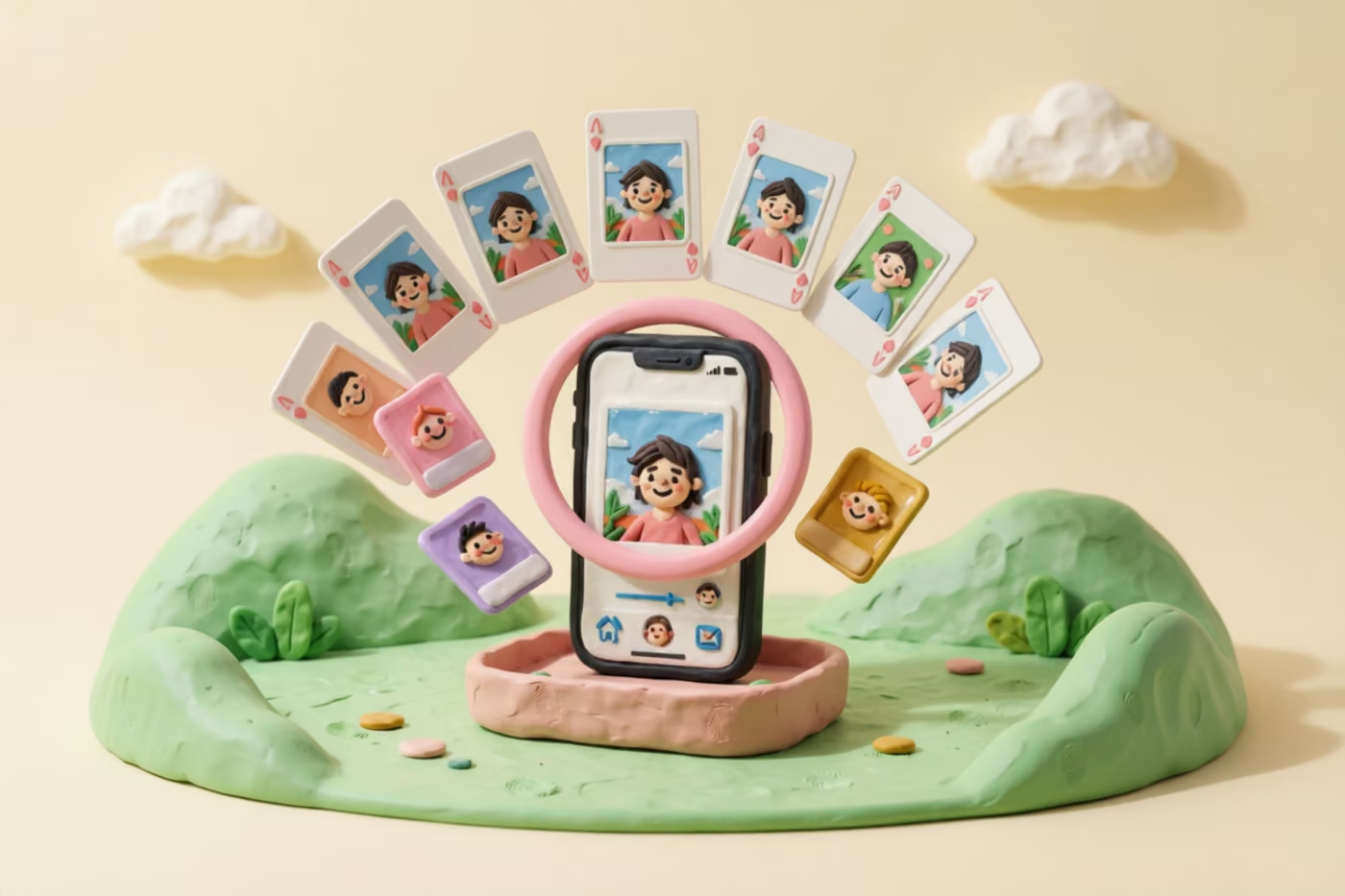
TidyByte approaches similar photo detection using Apple's Vision framework — the same on-device machine learning system that powers Face ID, Live Text, and Visual Look Up. For each photo in your library, TidyByte generates a feature print: a mathematical representation of the visual content in the image. Feature prints capture the shapes, textures, colors, and spatial relationships in a photo, encoding them into a compact vector that can be compared against other vectors.
When TidyByte scans your library, it generates a feature print for every photo and then computes the distance between all pairs. Photos whose feature prints are close together — meaning their visual content is highly similar — are grouped into clusters. The user sees each cluster as a set of similar photos with the sharpest, best-exposure version pre-selected to keep. You swipe left to delete a photo or swipe right to keep it, and the batch selection option lets you delete or keep entire groups at once.
This approach has several advantages over metadata-based or hash-based methods. First, it catches photos that look similar even when their file data is completely different — a burst sequence of 10 shots will have 10 distinct files with different hashes, but their feature prints will be nearly identical. Second, it works across different photo types: screenshots, camera photos, Live Photos, and imported images can all be compared against each other. Third, it runs entirely on-device using the Neural Engine built into every iPhone since the A12 chip. A scan of 10,000 photos typically completes in 2 to 4 minutes, and no data leaves the phone.
TidyByte combines this Vision-based similar detection with SHA-256 hash-based exact duplicate detection in a single scan. Exact duplicates are surfaced separately from similar photos, so you can handle them independently. The exact duplicate engine catches byte-identical files instantly — no ML inference needed — while the Vision engine handles the harder problem of visually similar but non-identical images. Together, these two methods cover the full spectrum of redundant photos in your library. For users looking for the best app to delete similar photos iPhone free, this dual-engine approach is what makes TidyByte the most thorough option available.
Other Free Alternatives
TidyByte is not the only option, so let us look at the other free tools that claim to find similar or duplicate photos on iPhone. The landscape has shifted considerably since Gemini Photos — once the most popular option — was discontinued by MacPaw in 2024. Here are the remaining contenders.
Slidebox
Slidebox offers a swipe-based interface for organizing photos into albums, with a focus on quick manual sorting. Its free tier lets you swipe through your camera roll and assign photos to albums or delete them. However, Slidebox does not automatically detect similar photos. It relies entirely on the user to visually identify duplicates and similar shots while swiping. There is no computer vision engine, no automatic grouping, and no pre-selection of the best version. For a library of 5,000 photos, you would need to swipe through every single one and mentally compare them — a process that can take an hour or more. Slidebox also limits some features behind a premium subscription.
Google Photos
Google Photos has strong visual search capabilities — you can search for "sunset" or "beach" and it will find matching photos using Google's machine learning. It also offers storage management suggestions that sometimes surface duplicate uploads. However, Google Photos does not have a dedicated similar photo finder or a duplicate cleanup tool. Its suggestions are inconsistent and do not cover near-duplicates. More importantly, using Google Photos for cleanup means uploading your entire library to Google's servers, which is a non-starter for privacy-conscious users. The free storage tier is also limited to 15 GB across all Google services, which fills up quickly.
Remo Duplicate Photos Remover
Remo is a free app that scans for duplicate photos based on metadata and visual similarity. It groups potential duplicates and lets you review them in batches. The free version works but is supported by ads, and the scanning algorithm is less sophisticated than Vision-based approaches — it tends to miss similar photos that differ by subtle composition changes and sometimes groups unrelated photos together. For users who want a quick pass at obvious duplicates, it is functional, but it does not match the accuracy of a Vision-based scanner for finding genuinely similar photos.
Feature Comparison Table
The table below compares the most important capabilities for finding and deleting similar photos across the tools discussed in this guide. All pricing reflects the free tier of each app as of June 2026.
| Capability | TidyByte | iOS Duplicates | Slidebox | Remo |
|---|---|---|---|---|
| Exact duplicate detection | Yes (SHA-256) | Yes | No | Yes |
| Near-duplicate / similar photo detection | Yes (Vision) | No | No | Partial |
| Auto-group similar photos | Yes | No | No | Yes |
| Best-photo pre-selection | Yes | Yes (dupes only) | No | No |
| Swipe-based review | Yes | No | Yes | No |
| Batch / Select All | Yes | Yes (Merge) | No | Yes |
| Fully free (no paywall) | Yes | Yes | Limited | Ad-supported |
| 100% on-device processing | Yes | Yes | Yes | Yes |
| No ads | Yes | Yes | Yes | No |
| Open source | Yes (MIT) | No | No | No |
The standout row in this table is near-duplicate detection. TidyByte is the only free, ad-free tool that uses a real computer vision engine to automatically group visually similar photos. iOS Duplicates handles exact matches but ignores the much larger category of similar-but-not-identical images. Slidebox gives you a nice swipe interface but makes you do all the comparison work yourself. Remo attempts visual comparison but uses less accurate methods and peppers the experience with ads. If your goal is to find and delete similar photos with minimal effort, TidyByte's Vision-based grouping is the only approach that actually automates the hard part.
Recommendation by Use Case
Different users have different needs, so here is a straightforward recommendation based on your situation. The good news is that all of these tools are free, so you can try more than one without risk.
Quick recommendations
- You want the most thorough similar photo scan: Use TidyByte. Its Vision-based engine catches groups of similar photos that every other free tool misses.
- You only need exact duplicates removed: Start with the built-in iOS Duplicates album. It is fast, integrated, and requires no download. If you find it does not catch enough, switch to TidyByte.
- You prefer manual control and enjoy swiping: Slidebox offers a clean swipe interface for album sorting. Be aware that you will need to identify similar photos yourself — there is no automatic detection.
- You want cleanup plus video compression: TidyByte is the only free tool that combines similar photo detection with video compression, giving you a single app for all storage recovery.
- You care about privacy: TidyByte and iOS Duplicates are your best options. Both process everything on-device with no data upload. Slidebox also processes on-device. Avoid cloud-based tools if your photos contain sensitive content.
For most iPhone users searching for the best app to delete similar photos iPhone free, TidyByte is the strongest choice. It combines automatic similar photo detection, exact duplicate detection, swipe-based review, batch selection, and additional cleanup tools — all without ads, subscriptions, or data collection. The average user reclaims 3 to 5 GB of storage in their first session, with similar photos accounting for roughly half of that recovery.
If you are coming from a paid tool like the now-discontinued Gemini Photos, TidyByte covers the same core functionality and adds features like video compression and a storage dashboard that those tools never offered. There is no migration process — TidyByte reads directly from your iPhone's photo library, so all your existing organization stays intact. Download it, grant photo access, and start scanning.
One practical tip: run the similar photo scan monthly. The average user accumulates 200 to 400 new similar photos per month from burst shooting, screenshot habits, and repeated captures of the same scene. A five-minute monthly session keeps your library under control and prevents the multi-gigabyte buildup that makes cleanup feel overwhelming. TidyByte remembers your previous sessions, so you only see new groups each time — no need to re-review photos you have already processed.
Frequently Asked Questions
What is the best free app to find similar photos?
TidyByte is the best free app to find similar photos on iPhone. It uses Apple's Vision framework to generate feature prints from each photo and groups visually similar images together — even when they were taken from slightly different angles or at different times. Unlike most alternatives, TidyByte is completely free with no ads, no subscriptions, and no usage limits.
Is there a free app that finds duplicate and similar photos?
Yes. TidyByte finds both exact duplicates and similar photos for free. Exact duplicates are detected using SHA-256 cryptographic hashing for pixel-perfect matches. Similar photos — images that look alike but are not byte-identical — are detected using Apple's Vision framework, which analyzes the visual content of each image. Both features are available without any payment or account.
How do I find photos that look alike?
The fastest way to find photos that look alike is to use a dedicated app like TidyByte that scans your library automatically. TidyByte compares every photo in your library using computer vision, groups visually similar images together, and lets you swipe through each group to keep the best version and delete the rest. The entire process runs on-device in a few minutes, even for libraries with over 10,000 photos.
Can TidyByte find similar photos for free?
Yes. TidyByte's near-duplicate detection is completely free. It uses Apple's built-in Vision framework to analyze the visual content of your photos and group similar images together. There is no paywall, no scan limit, and no subscription required. The feature works entirely on-device, so your photos are never uploaded to any server. You can verify this by reviewing the open-source code on GitHub.
Does the iPhone have a built-in similar photo finder?
No. iOS does not include a built-in tool for finding similar photos. The Duplicates album in the Photos app only detects exact duplicates — photos that are byte-identical. It cannot identify photos that look alike but differ slightly due to burst shooting, different framing, or minor edits. For similar photo detection, you need a third-party app like TidyByte. Read our full guide to finding duplicate photos on iPhone for more detail.
Ready to clean up your photo library?
TidyByte is free, runs on your device, and takes just minutes to use.